
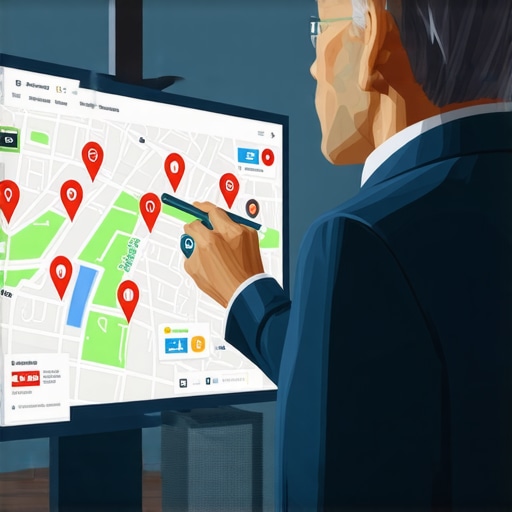
A Manual Audit Strategy to Find Why Your Shop Vanished From Local Maps
It usually starts on a Monday morning. You open your laptop, ready to tackle the week, only to realize the phone hasn’t rung in hours. You perform a quick search for your services and – nothing. Your business, which usually sits comfortably in the top three, is gone. It hasn’t just dropped a few spots; it has completely vanished from the local map pack. This “search blackout” is the ultimate nightmare for small business owners, from plumbers to personal injury lawyers, who rely on google business profile seo to drive their lead flow.
I’m Kevin Pauls, a Local SEO Consultant and Google Business Profile Product Expert. Over the years, I’ve helped thousands of businesses navigate the murky waters of local search. When a profile disappears, most people panic and start changing every setting in their dashboard, which often makes things worse. You need to understand that visibility isn’t just about being “on” the map; it’s about proximity, relevance, and prominence – the three pillars of the local algorithm. If you’ve suddenly lost your rankings, you aren’t necessarily banned. You might be a victim of an algorithmic filter, a technical glitch, or a “hard suspension.” Before you do anything, you need to read Why Your Business Profile Suddenly Vanished and How to Get It Back Fast to understand the immediate steps for recovery.
In this guide, I will walk you through a manual audit strategy designed to pinpoint exactly why your shop vanished and how to reclaim your digital real estate.
Step 1: The “Ghost” Check, Is It a Suspension or a Glitch?
The first step in any google business profile seo audit is determining the status of your listing. Log into your Google Business Profile (GBP) dashboard. If you see a red banner that says “Suspended” or “Disabled,” you have a clear (though difficult) path forward. However, the most frustrating scenario is when the dashboard says “Verified” and “Your business is visible to customers,” but you cannot find yourself on the map for any keyword.
We recently observed a fascinating “Automotive Dealer mass-disappearance” in the SEO community. Dozens of dealership profiles vanished simultaneously from search results despite being “Live” in the dashboard. This wasn’t a penalty; it was a backend Google glitch. Similarly, users on Reddit have reported a “zoom glitch” where a profile is hidden until the user manually zooms in or out on the map, forcing a results reload. If your profile is a “ghost,” try searching for your exact business name. If it appears there but not for your keywords, you are likely being filtered, not suspended.
To truly understand how you rank google business profile listings against the competition, you need to see if your “ghosting” is localized or widespread. If you find your profile is technically active but invisible, you may need a professional google business profile seo audit to identify deep-seated technical conflicts.
Step 2: Technical Triage, The NAP and Category Audit
When it comes to google business profile optimization, consistency is your best friend and your worst enemy. Google’s algorithm is hyper-sensitive to “NAP” (Name, Address, Phone number) data. If you recently changed your tracking phone number or tweaked your business name to include extra keywords, you might have triggered an algorithmic filter.
A common reason for a sudden “search blackout” is a mismatched contact detail across the web. Google cross-references your GBP data with your website, Yelp, Yellow Pages, and local chamber of commerce listings. If Google loses trust in the accuracy of your location, it will simply stop showing you in the Map Pack. Even a single category tweak can cause a disaster. I’ve seen businesses drop from #1 to unranked because they changed their primary category from “Plumber” to “Heating Contractor” during a seasonal shift. To avoid this, read more about The One Business Category Tweak That Actually Triggers a Map Rank Jump.
Check your dashboard for “Pending” updates. Sometimes, Google’s AI “suggests” an edit (like a new set of hours or a different website URL) and if you don’t reject it, the listing can become unstable. Ensure your primary category is the most specific and relevant one for your core service.
Step 3: Proximity and the “Possum” Filter
If your listing is verified and your NAP is clean, but you’ve still vanished, you might be a victim of the “Possum” filter. Named by the SEO community, this filter was designed to “play dead” with listings that are too similar to others in the same geographic area. Google doesn’t want to show three different locksmiths who all operate out of the same office building or have nearly identical names on the same street.
If a competitor has recently moved into your building or has significantly ramped up their authority (more reviews, better website content), Google may decide that their profile is the “authoritative” one for that specific coordinate, effectively filtering yours out of the top results. This is why you might “vanish” if a competitor has stronger authority even if you are closer to the searcher. You can learn How to Legally Spy on Local Competitors to Steal Their Map Rankings to see if they are using aggressive tactics to push you out of the neighborhood view.
Proximity is the strongest ranking factor, but it is also the most volatile. If your physical address is just outside the city limits or in a heavily saturated “SEO-spam” area, you may find your profile oscillating in and out of the Map Pack.
Step 4: Using Local SEO Tools for Deep Diagnosis
Manual audits are essential for “gut checks,” but they have limits. You can’t manually check your rankings from 100 different points in your city. This is where local seo tools become indispensable. To diagnose a vanishing act, you need a google maps rank tracker that provides a grid-based view of your visibility.
A grid tracker will show you if you have vanished everywhere or just in specific directions. For example, if you are still ranking #1 directly on top of your shop but drop to #20 just two blocks away, you have a “prominence” problem, not a “suspension” problem. If the grid is entirely red (meaning you are unranked everywhere), you are likely dealing with a site-wide filter or a de-indexing issue.
For those looking to scale their efforts, using a specialized local seo software suite can help you identify exactly where the “visibility wall” is. By visualizing your data, you can see if your gmb ranking service is actually delivering results or if you are simply shouting into the void. Without these tools, you are just guessing at why your phone stopped ringing.
Step 5: The Website Connection, Why Your Site Kills Your Map Rank
Many business owners forget that their Google Business Profile is tethered to their website. If your website has technical issues, your map rankings will suffer. Google uses your website content to verify your relevance for specific search terms. If your website is de-indexed, your map profile often follows suit shortly after.
One of the first things I do in a manual audit is use the “site:” operator. Go to Google and search `site:yourwebsite.com`. If zero results return, your website has been de-indexed, and that is why your map listing has vanished. Google won’t promote a business that it can’t verify through a live, healthy website. Additionally, look out for The Service Area Page Mistake That Makes Google Think You’re a Fake Business. If you have created dozens of “thin” city pages with duplicate content, Google may flag your entire digital presence as “spammy,” leading to a total map blackout.
Your website must be mobile-friendly, fast, and rich with “local signals” like your address in the footer and geo-tagged images. If your website’s organic SEO is failing, your google maps ranking service will struggle to keep you in the top three.
Step 6: 2026 Trends, Preparing for the Future of Local Search
The landscape of google maps seo is shifting rapidly. As we move toward 2026, AI-driven search (like Google’s Search Generative Experience) is changing how “near me” intent is handled. Google is moving away from simple keyword matching and toward “engagement signals.” This means that having a 5.0-star rating isn’t enough; you need frequent reviews, high-quality photo updates, and active Q&A sections.
In the future, your visibility will depend on how “helpful” Google perceives your profile to be. If users click on your profile but immediately bounce back to the search results, Google will interpret that as a lack of relevance and demote you. To stay ahead of the curve, you should be Preparing for the 2026 Local SEO Trends That Matter for Small Businesses today. This includes optimizing for voice search and ensuring your “Attributes” (like “Women-owned” or “Wheelchair accessible”) are fully filled out, as these are becoming primary filters for AI search agents.
Conclusion & Action Plan
Finding why your shop vanished from local maps requires a systematic approach. Stop guessing and start measuring. First, verify your dashboard status. Second, check for the “zoom glitch” and the “Possum filter.” Third, audit your NAP consistency and website health using the `site:` operator. Finally, leverage data from a google maps rank tracker to see the full picture of your local visibility.
If you have gone through these steps and your profile is still missing, it may be time to call in the experts. Whether you need a comprehensive google business profile audit tool or you want to hire a dedicated local seo agency to handle the heavy lifting, don’t let your business stay invisible. You can rank higher on google maps again, but it requires patience and a commitment to quality over shortcuts. If you are ready to improve google maps rankings and reclaim your leads, start your manual audit today.
About the Author: Kevin Pauls is a veteran Local SEO Consultant and a recognized Google Business Profile Product Expert. With over a decade of experience, he helps businesses and agencies navigate complex algorithm updates to improve their visibility in Google Search and Google Maps.