
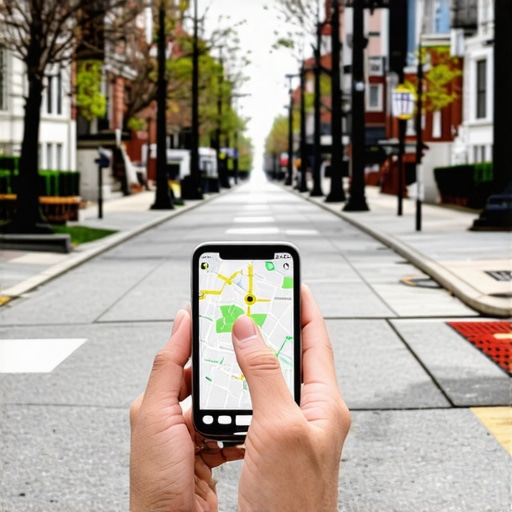
The Specific Way to Embed Your Map to Prove You Are Actually in the Neighborhood
In my years serving as a Local SEO Consultant and a Google Business Profile (GBP) Product Expert, I have seen thousands of businesses struggle with the same frustrating plateau. They have a verified office, they have a few dozen reviews, and they have a website that looks professional. Yet, when someone searches for their services just three blocks away, they are nowhere to be found in the Map Pack. Why? Because they are suffering from a digital disconnect. They haven’t proven to Google’s proximity-based algorithm that they are a physical, living part of the neighborhood.
The reality of google business profile seo in 2026 is that proximity is the most aggressive ranking factor we face. Google’s primary goal is to provide the most convenient, relevant local result to the user. If the algorithm has even a shred of doubt about your actual physical presence or your “neighborhood authority,” it will default to a competitor who has done a better job of anchoring their digital footprint to the local pavement. This is often referred to as The Hidden Proximity Factor That Shrinks Your Search Radius Without You Knowing.
To rank higher on google maps, you cannot simply copy and paste an iframe and call it a day. You need to use specific, advanced embedding techniques that inject relevance into your site and prove your proximity. In this guide, I’m going to show you exactly how to move beyond the “lazy embed” and start using maps as a high-level SEO weapon.
The Proximity Problem: Why “Near Me” Is Getting Harder to Win
Google’s algorithm relies on three pillars: Proximity, Relevance, and Prominence. While you can build prominence through backlinks and relevance through content, proximity is often seen as a static factor – you are where you are. However, proximity is not just about your latitude and longitude; it’s about how well Google understands your location in context.
When a user performs a search, Google looks for “signals of life.” If your website only mentions your city name in the footer and has a generic map embed, you look like a “ghost” business. You might be physically located in the neighborhood, but your digital footprint doesn’t match the local environment. Research into “Relevance Injection” suggests that businesses often lose local buyers to inferior competitors simply because the competitor’s website is more tightly integrated with local landmarks, street names, and neighborhood entities.
As someone who works in the trenches of google business profile optimization, I can tell you that the “near me” search is no longer a broad city-wide net. It is a hyper-local hyper-focus. If you want to expand your reach, you have to prove your “at-home” status first. This starts with how you bridge the gap between your website and your Google Business Profile.
Why Standard Embeds Are Failing Your Local SEO
Most business owners go to Google Maps, type in their address, click “Share,” and grab the embed code. While this puts a map on your page, it does very little for your google business profile seo. Why? Because an address search embed is a “dumb” map. It shows a point on a grid, but it doesn’t necessarily link your website’s authority to your specific Google Business Profile entity.
When you use google business profile seo strategies effectively, you want to ensure that every signal points back to your CID (Customer ID) or your Place ID. A standard address embed is essentially just a map of a coordinate. An optimized embed is a map of a business entity.
If you aren’t using the Maps Embed API or the specific “Share” function from within your verified profile dashboard, you are missing out on the “Entity Link.” Google needs to see that your website and your GBP are two sides of the same coin. When you embed the entity-specific map, you are telling Google, “This website belongs to this verified business at this specific location.” Without that link, your website and your map listing are just two strangers living in the same house.
The “Driving Directions” Hack for Neighborhood Proof
One of the most powerful ways to prove neighborhood authority was popularized by SEO experts like Brandon Leuangpaseuth. It involves creating a map that doesn’t just show where you are, but shows how people get to you from local landmarks. This is a massive signal for google business profile ranking because it contextualizes your location within the local infrastructure.
Think about it: if you are a plumber in Brooklyn, and you have a map on your site showing driving directions from the Brooklyn Museum to your office, you are literally drawing a line between a high-authority local entity and your business. This is what I call The Map Embed Secret That Actually Connects Your Website to Local Search Intent.
How to Create a Driving Directions Embed:
- Open Google Maps: Ensure you are logged into the account associated with your business.
- Set the Destination: Search for your business name (not just your address) so the Knowledge Panel appears.
- Click “Directions”: This will open the directions sidebar.
- Set a Local Landmark as the Starting Point: Choose a well-known park, city hall, or a major transit hub in your neighborhood.
- Choose the Route: Google will suggest the best route.
- Share and Embed: Click the “Menu” (three horizontal lines) or the “Share” button, select “Embed a map,” and copy the HTML code.
By placing this on your “Contact Us” page or your local landing pages, you are providing Google with a “Neighborhood Signal.” You aren’t just at 123 Main St; you are the business that people reach by taking the Main St exit off the highway. This level of detail is exactly what you need to rank higher on google maps.
Advanced Technique: The CID and Place ID Embed
For those looking for a professional-grade google maps ranking service, we often look toward the CID (Unique Customer ID). Every Google Business Profile has a unique CID and a Place ID. These are the internal serial numbers Google uses to track your business entity across the entire web.
When you embed a map using a CID-based link, you are creating a direct, unbreakable connection to your Google entity. This is far more powerful than a standard name search because names can be duplicated, but CIDs are unique. Using these IDs ensures that your google business profile optimization efforts are hyper-targeted.
Finding these IDs manually can be a tedious process involving inspecting the source code of your Google Maps listing. This is why many professionals rely on local seo ranking tools to quickly extract entity data. Once you have your CID, you can construct a map URL that forces Google to recognize the relationship between your site’s traffic and your GBP’s prominence.
The goal here is “Entity Synchronization.” You want Google’s database to see your website as the primary source of truth for your physical location. When your map embed is tied to your CID, every view and interaction on that map feeds back into your GBP’s “Prominence” score, helping you climb the rankings in the local map pack.
Contextualizing the Map: NAP and Geo-Content
A map embed, no matter how technical, does not live in a vacuum. To truly prove you are in the neighborhood, you must surround that map with “Neighborhood Signals.” This is where many businesses fail; they put a map on a blank page and expect magic.
Your NAP (Name, Address, Phone Number) must be present in exact match format right next to the map. But don’t stop there. You should include a text-based “Directions” section. This isn’t just for users; it’s for Google’s crawlers. Use local street names, mention nearby landmarks (“We are located just two blocks east of the Historic Central Park”), and describe the parking situation.
This creates a dense cluster of local relevance. If you are building out city-specific pages, avoid the common 5 City Page Mistakes That Make Your Business Look Like a Bot to Google. Instead, focus on making each page feel like a local resource. When Google crawls the page and sees a CID-based map, a driving directions route from a local landmark, and text describing the local neighborhood, it has no choice but to recognize your proximity authority.
Furthermore, you should consider the structure of your geo-pages. In my experience as a consultant, I’ve found that How to Structure Geo-Pages Without Looking Like a Spam Bot is a critical skill. You need to balance technical SEO with genuine local utility.
Common Pitfalls: Why Your Map Isn’t Helping
One of the biggest challenges in local map pack seo is the Service Area Business (SAB). If you are a locksmith or a carpet cleaner who works at the customer’s location, you likely have your address hidden on your Google Business Profile. How do you embed a map to prove proximity when you don’t have a storefront?
Many SABs make the mistake of embedding a map of their entire city. This is too broad and provides zero proximity signal. Instead, you should embed a map that shows your “service area” polygon if possible, or use the driving directions hack from your home base (even if hidden) to a central point in your service area.
Another pitfall is using outdated map embeds. If you have moved offices or changed your business name and haven’t updated your embeds, you are creating “NAP Conflict.” This is a major ranking killer. Google hates inconsistency. If the map on your site points to an old location or a different business name than your current GBP, your rankings will tank. This is a classic The Service Area Page Mistake That Makes Google Think You’re a Fake Business.
Finally, ensure your map is mobile-responsive. Over 60% of local searches happen on mobile devices. If your map breaks your site’s layout or is impossible to interact with on a phone, you are signaling to Google that you provide a poor user experience, which will negatively impact your google maps marketing efforts.
Your Neighborhood Dominance Checklist
Proving you are actually in the neighborhood requires more than a pin on a map; it requires a strategic alignment of your digital and physical presence. By moving beyond standard embeds and utilizing driving directions, CID-based links, and contextual geo-content, you provide Google with the hard evidence it needs to rank you in the Map Pack.
As you implement these changes, it is vital to monitor your progress. Use a google maps seo tools suite to track your rankings across different grid points in your city. You will likely find that as you strengthen your neighborhood signals, your “green zone” of top-3 rankings begins to expand outward from your office.
Don’t let your business be a digital ghost. Take control of your proximity signals, link your entity to your website, and show the algorithm – and your customers – that you are the local authority they are looking for.